When was the last time you gave your keyboard a deep clean? If you’re like most of us, it’s probably been a while. Our keyboards are breeding grounds for bacteria, dirt, and grime, which can lead to a plethora of health problems and decrease the lifespan of our devices. However, cleaning our keyboards can be a daunting task, especially when we think we need to use compressed air or expensive cleaning tools. But what if you could deep clean your keyboard in just 60 seconds, without any of the hassle or expense? The answer lies in a simple, yet effective hack that uses a manual toothbrush to remove dirt and grime from your keyboard.
Cleaning Your Keyboard: The Importance of Regular Maintenance
Regularly cleaning your keyboard is crucial for maintaining a healthy and productive workspace. Keyboards can harbor a significant amount of bacteria, including E. coli and Staphylococcus aureus, which can lead to illnesses and infections. Furthermore, dirt and grime can accumulate under the keys, causing them to stick or become unresponsive, leading to frustration and decreased productivity. By incorporating a regular cleaning routine into your daily or weekly schedule, you can prevent these problems and keep your keyboard in good working condition.
In addition to the health benefits, cleaning your keyboard can also extend its lifespan. Dirt and grime can damage the electronic components and switches under the keys, leading to premature wear and tear. By removing these substances, you can prevent damage and ensure that your keyboard continues to function properly for years to come. Whether you’re a student, professional, or gamer, a clean keyboard is essential for achieving your goals and staying focused.
The 60-Second Hack: A Step-by-Step Guide
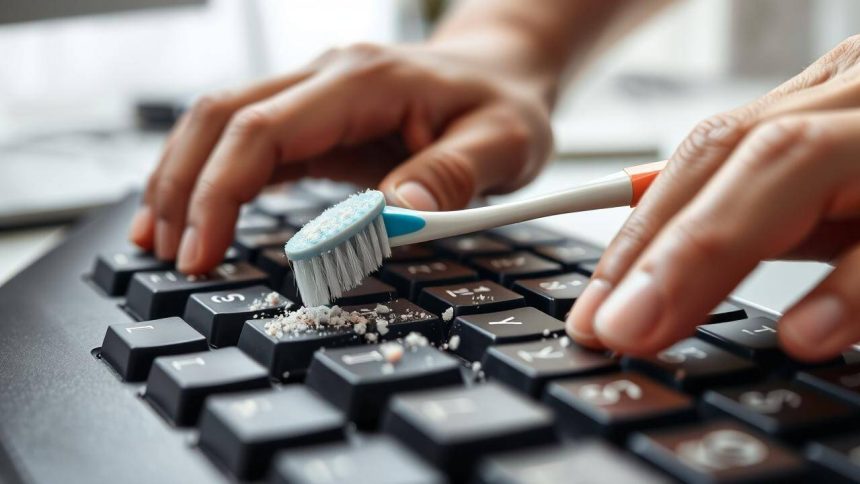
The 60-second hack is surprisingly simple and requires just a few basic tools. To start, turn your keyboard upside down and gently shake it to remove any loose debris. Next, take a manual toothbrush and insert it between the keys, gently sweeping it back and forth to dislodge any dirt or grime. Be sure to get into all the nooks and crannies, including the spaces between the keys and the edges of the keyboard. As you brush, you’ll start to see the dirt and grime accumulate on the toothbrush, leaving your keyboard looking like new.
For tougher areas, such as the space bar or enter key, you can use a bit more force to dislodge any stubborn dirt or grime. However, be careful not to apply too much pressure, as this can damage the keys or the underlying components. Once you’ve finished brushing, use a soft cloth to wipe down the keyboard and remove any remaining dirt or debris. This will leave your keyboard looking clean and new, and will help to prevent the buildup of dirt and grime in the future.
Maintaining a Clean Keyboard: Tips and Tricks
Maintaining a clean keyboard is easier than you think, and requires just a few simple habits. To start, try to clean your keyboard at least once a week, using the 60-second hack outlined above. You can also use a keyboard cover or skin to protect your keyboard from dust and spills, and to make cleaning easier. Additionally, be sure to wash your hands regularly, especially before using your keyboard, to prevent the spread of bacteria and germs.
By incorporating these habits into your daily routine, you can keep your keyboard clean and functional, and prevent the buildup of dirt and grime. You’ll also be able to enjoy a healthier and more productive workspace, free from the distractions and frustrations of a dirty or unresponsive keyboard. So why not give the 60-second hack a try, and see the difference it can make for yourself? With its simplicity and effectiveness, it’s a hack that’s sure to revolutionize your workspace and keep your keyboard clean and functional for years to come.